Showing posts with label copyright. Show all posts

Monday, February 29, 2016

Finding Historical Online Images

How and where do you find genealogy images that are free of copyright or in the public domain? James Tanner also has an interesting blog post called How to find genealogy images that are free of copyright and a follow up called More about "free" images -- be careful. They both provide good information with details on how to find attribution information.

The following are a variety of resources and examples of what you can find.
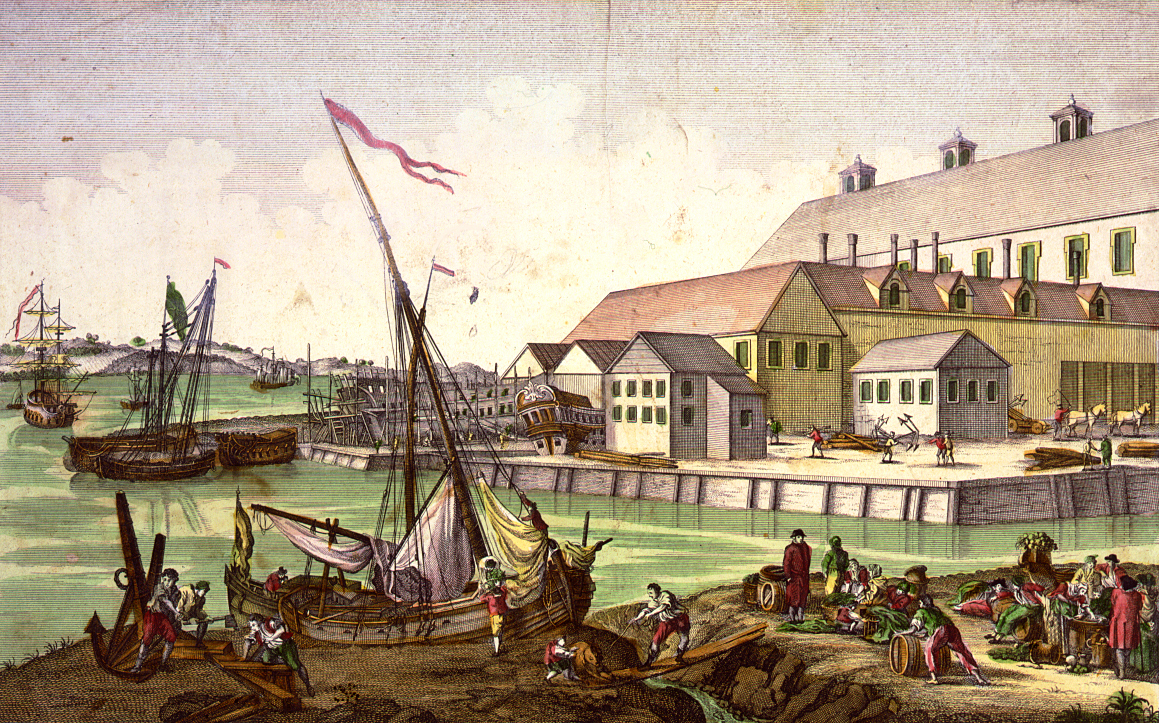
Google Image in the public domain.
Google Images. Enter a search term, then select "Tools" and limit "Usage Rights" to "Labeled for reuse." You will still need to check the image for any licensing attribution, etc. This can be done by selecting an image and clicking on “Visit Page.” Scroll down to look at "Licensing" as many will say “Creative Commons Attribution-Share Alike.” If so, select “Use this file on the web” and copy the "Attribution" to use in your citation.

Wikimedia Commons. Search for an image then click on more details to see licensing. More information is available for reusing content.   

Getty Images. They may have usable images for blogs and sharing on social media. Enter a search term, on the search results page, click an image. On the details page you will see information on embedding or a social media icon if the image can be shared.


 Jean Henri Marlet Wellcome Library, London
Library of Congress. Search for item and then check item's "Rights & Access." Generally items are out of copyright but "rights assessment is your responsibility."

Wellcome Images. "Thousands of images and centuries of medicine, science, society and culture." Some "images are available to download from this site free of charge, for use both commercially and non-commercially under a Creative Commons Attribution Only – CC-BY 4.0 licence."

Flickr Commons. Shares the "world's public photography archives." Search for images with "Any License" option set to "No known copyright restrictions."
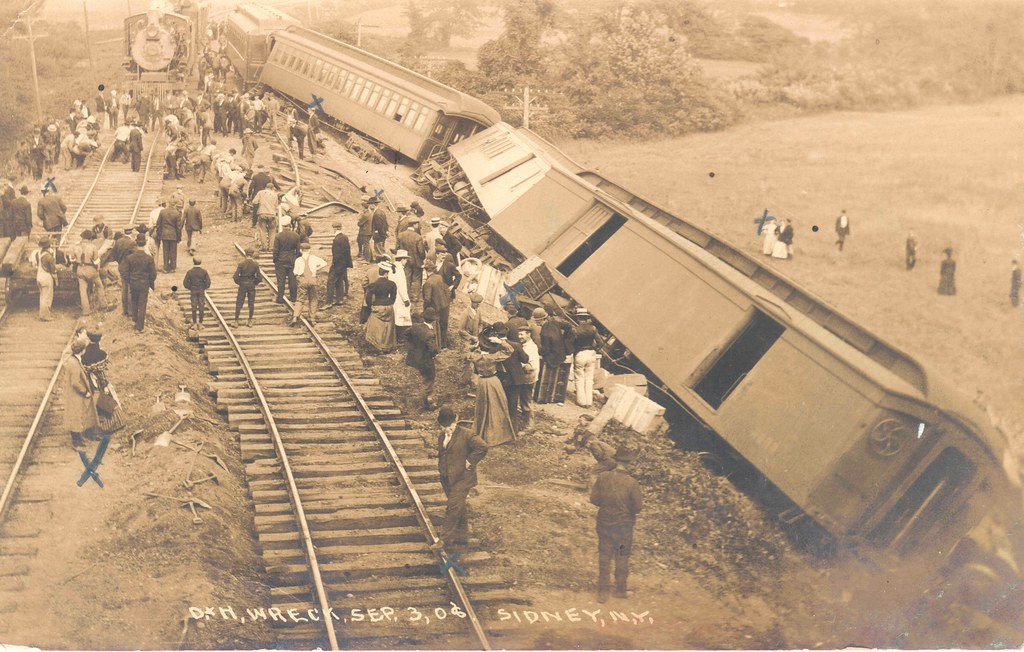
  Smithsonian photograph: Postcard of the Delaware and Hudson train wreck

Or look for some of the following institutions on Flickr and use the search bar under their name.
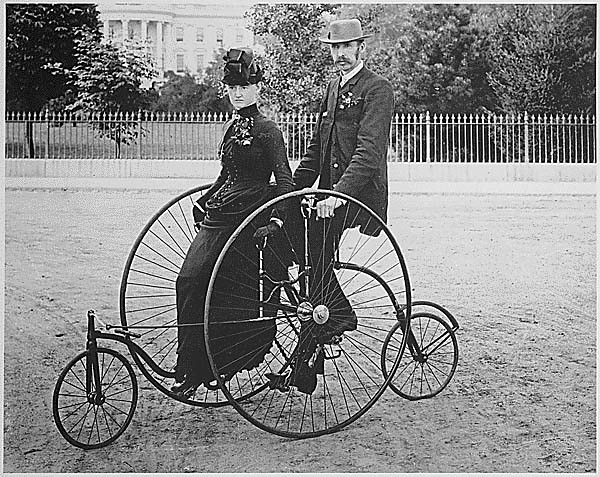
U.S. National Archives’ 1886-model bicycle for two.

Smithsonian Institution.

The British Library.

National Library of Ireland.

Internet Archive Book images.

The New York Public Library.

U.S. National Archives.


You might also like my Pinterest Board with more examples.

Thursday, July 17, 2014

An Ancestor's Life on Pinterest

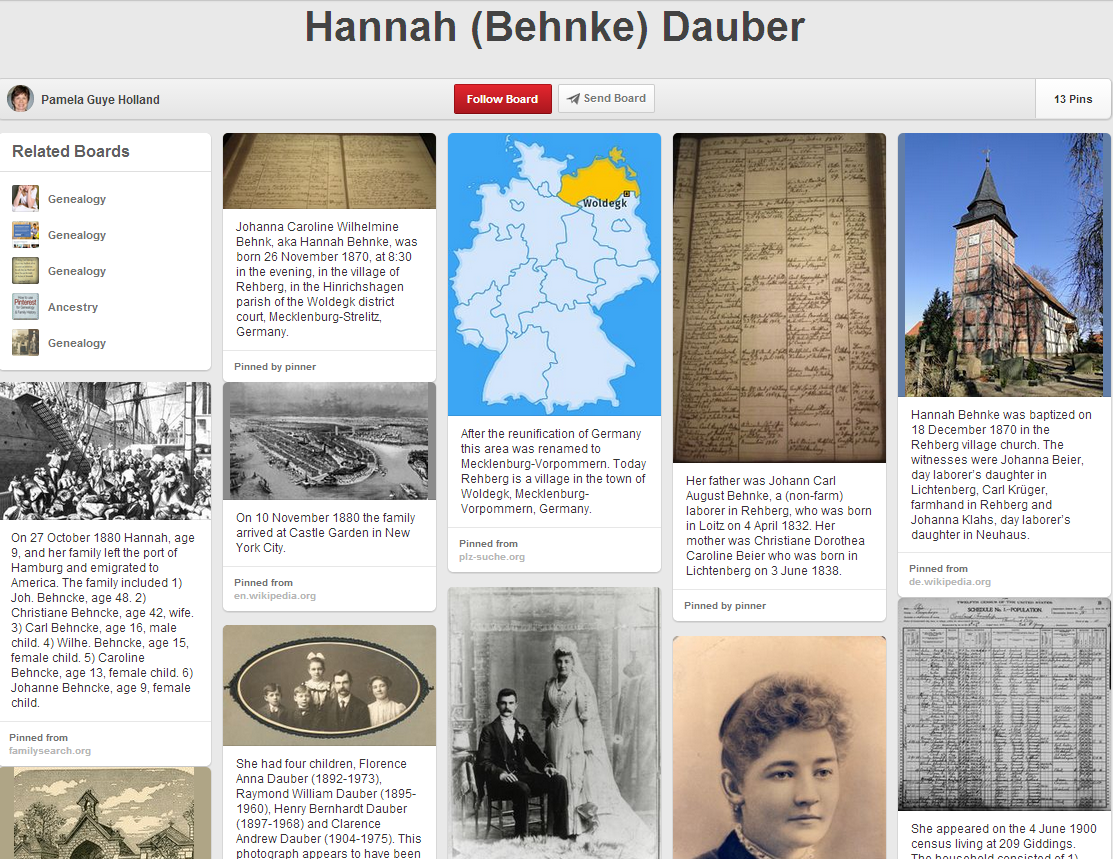
Pinterest can be a great place to chronicle an ancestor’s life. Recently I've been researching my Great-Grandmother, Hannah (Behnke) Dauber, and decided to create a Pinterest board with a timeline of her life. I started with her birth in Rehberg, Mecklenburg-Strelitz, Germany, and included information about her parents and her family's immigration to America. Then I added her marriage to my Grandfather, Henry J. Dauber, in Cleveland, Ohio, and details about their children and their life in Cleveland. I ended with her untimely death at age 35. For many of the pins I uploaded family pictures. The rest were copies of records (after checking the terms of use), copyright free images or Creative Commons licensed photographs. I think it turned out great and love how visual it is.


Next I created a board for my Grandmother, Catherine Mary (Yeagle) Dauber. I did something different for her. Her lengthy obituary contained an amazing amount of organizations and events she was involved in during the course of her life. Using the obituary as a guide I chronicled almost all of them.


And for my husband’s Grandfather, Patrick John Kearney, I told the story of his life through pictures and words. There is a great family tale about how Patrick met his wife, Margaret Moroney, at a holy well in Castletown, County Limerick, Ireland. Using a variety of my own pictures and other found images I recreated his life.  The main focus is the story of Patrick and Margaret meeting.

Thursday, May 1, 2014

Using Pinterest for Genealogy

English: Red Pinterest logo
Are you visually oriented? Then Pinterest can be a great way to organize genealogy information. If you are a beginner getting started on Pinterest is easy. Check out Amy Lynn Andrews’ Pinterest Basics and then setup an account. If you already use Pinterest she has other helpful information you might like too.

However, before you start pinning read about copyright issues. The Legal Genealogist, Judy G. Russell, has a great blog post on Copyright, terms of use and Pinterest and Sara F. Hawkins’ Avoiding Copyright Pitfalls on Pinterest is helpful too. If you are curious about using Ancestry.com images see Heather Wilkinson Rojo’s Pinterest, Ancestry and Copyrighted Images.

Once you have an account you can start creating boards. Valerie Elkins has a Top 12 Tips For Using Pinterest For Family History blog post that gives great advice. Tips 1 through 3 will get you started but remember your pins will show up in reverse order. That means your first pin will be at the bottom of your board and your latest pin at the top. You can move and rearrange your different pinboards on your home page. If the order of your pins matters either plan accordingly or read How to Rearrange Pins on Pinterest.

Not sure you are ready to start a public pinboard? Then start a secret board instead by clicking “Yes” to “Keep it secret?” when you create a board. For more information on secret boards see Tip 3 in GenealogyBank’s 3 Steps to Using Pinterest for Your Genealogy Interests. 

What kind of boards will you create?

You might like my post - An Ancestor's Life on Pinterest and Mapping Genealogy Locations on Pinterest.